Video Splitting and Cutting Software for Windows

Split Any Video File into Perfect Clips - With Zero Quality Loss

Movie Splitter cuts any video file into clips, segments or equal parts in seconds. Split by time, by file size or by chapter markers. Works with MP4, MKV, AVI, MOV, WMV and every major video format. Lossless stream-copy mode means your video is never re-encoded - the quality of every clip is identical to the original. No subscription. No cloud upload. Just fast, precise, local video splitting on Windows.

Get Movie Splitter - $29.95
One-time payment.
No subscription. Ever.
Windows 7 / 8 / 10 / 11
MP4, MKV, AVI, MOV, WMV & more
Lossless stream-copy - no re-encoding
One-time purchase - no subscriptions
100% offline - your footage stays private
4
Split Modes - Time, Size, Chapter & Equal Parts
0%
Quality Loss in Stream-Copy Mode
MP4+
All Major Video Formats Supported
$29.95
One-Time Price - Yours Forever
Core Features

Everything You Need to Cut and Split Video Files Precisely and Quickly

Movie Splitter is built for video editors, content creators, archivists and anyone who regularly works with large video files and needs a fast, reliable way to cut them up - without re-encoding, without cloud uploads and without a monthly subscription.

Lossless Stream-Copy Splitting

Movie Splitter's default mode uses stream-copy to cut your video without decoding or re-encoding a single frame. The output clips are bit-for-bit identical to the corresponding sections of the original file. No generation loss, no compression artefacts - and because no processing takes place, splitting is almost instantaneous regardless of file size.

Split by Time - Precise to the Second

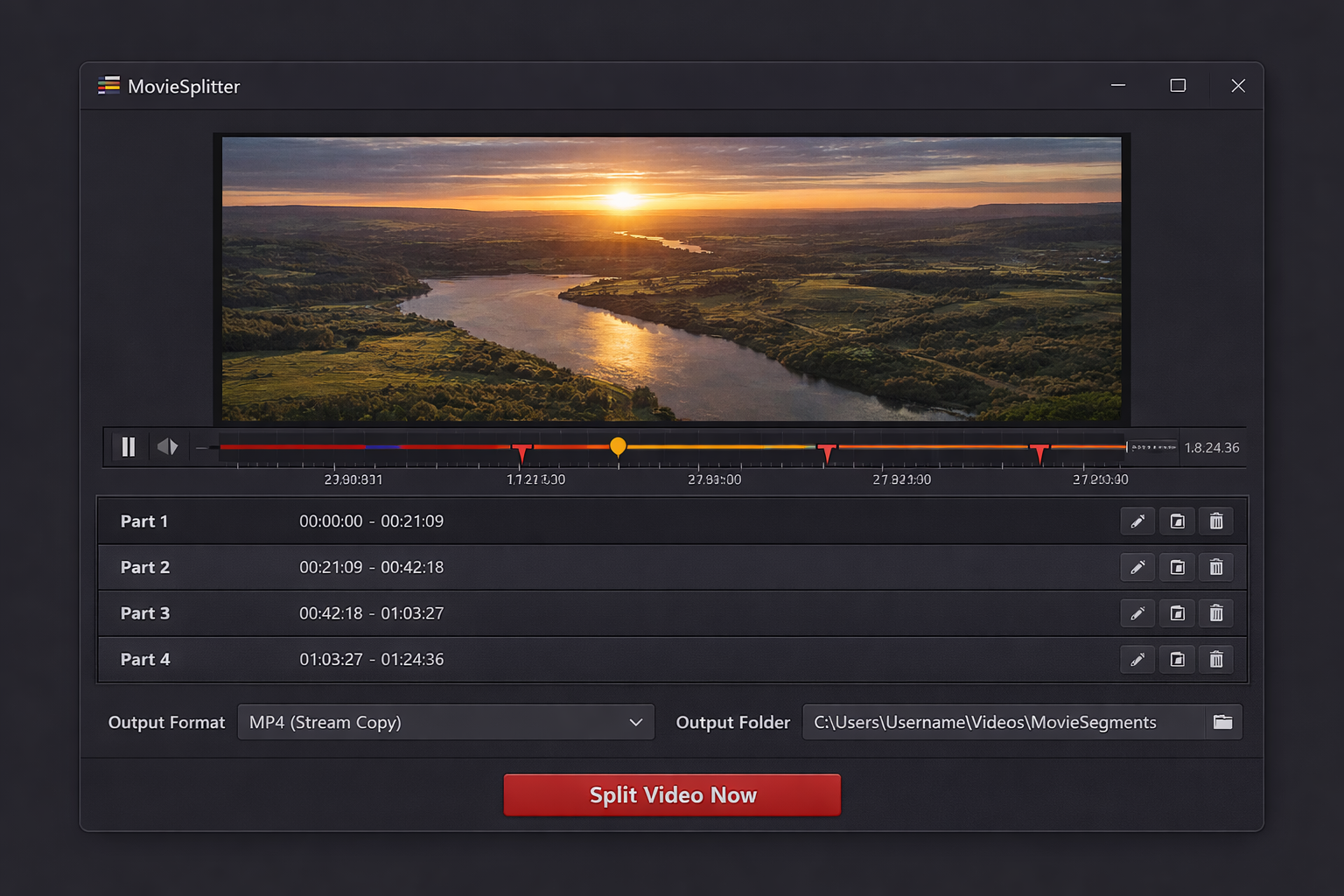
Enter a start time and end time for each clip, or set a fixed segment duration and let Movie Splitter divide the whole file automatically. Set split points by typing a timecode or by dragging markers on the visual timeline. Precision down to the millisecond for editorial work that demands frame-accurate cutting.

Split by File Size

Need to split a large video into chunks that fit on a USB drive, under an email attachment limit or within a platform upload cap? Enter a maximum file size in MB or GB and Movie Splitter automatically calculates how many segments are needed and cuts the file at the right points - no manual maths required.

Split by Chapter Markers

Many MP4 and MKV files contain embedded chapter metadata - boxsets, Blu-ray rips, lecture recordings and YouTube downloads often include chapter data. Movie Splitter reads these chapter markers automatically and can split the file at every chapter boundary in one operation, producing one correctly named clip per chapter.

Split into Equal Parts

Enter the number of equal segments you want and Movie Splitter calculates the split points automatically so each output clip is the same duration. Ideal for dividing long recordings into consistent blocks for upload, archiving, or distribution where uniform clip length matters.

Batch Split Multiple Files

Load a queue of video files and apply the same split settings to every one in a single operation. Batch splitting is perfect for processing a series of long recordings, an entire season of episodes, a folder of dashcam footage, or any workflow where the same cutting rule applies across multiple source files.

Custom Output File Naming

Control exactly how each output clip is named using a flexible pattern system. Include the original filename, a custom prefix, the segment number, the timecode range, or the date. Every split clip lands in your output folder with a meaningful name so you can see at a glance what each file contains.

Visual Timeline and Preview

Load any video and scrub the visual timeline to find your split points. Preview the frame at any position before committing to the cut. Drag split markers to fine-tune timing. The timeline displays chapter markers, audio waveform peaks and existing split points so you have full context before you run the batch.

Join and Merge Clips

As well as splitting, Movie Splitter can join multiple video clips back together into a single file. Merge a series of clips in any order, combine the segments from a previous split, or stitch together footage from multiple recording sessions - all without re-encoding and without touching the video quality.

Supported Video Formats - Input and Output

MP4 MKV AVI MOV WMV FLV WebM TS / M2TS MPG / MPEG 3GP M4V RMVB
Simple 4-Step Process

How to Split a Video File into Clips in 4 Steps

No command line. No complex settings. No re-encoding. If you can open a file and click a button, Movie Splitter will have your video cut into precisely the clips you need - in under a minute.

Load Your Video File

Drag any MP4, MKV, AVI, MOV, WMV or other supported video file into Movie Splitter - or browse to it using the file picker. Load a single file to split one video, or add multiple files to the queue for batch processing.

Choose Your Split Mode

Select how you want to split: by time (drag markers on the timeline or enter timecodes), by file size (enter a max MB or GB per segment), by chapter markers (auto-detected from the file), or into equal parts (just enter how many you need).

Set Output Options

Choose your output folder, set your file naming pattern and confirm the output format. Select lossless stream-copy for instant, zero-quality-loss splitting, or choose a re-encode option if you need to change the format or reduce the bitrate of the output clips.

Split and Done

Click Split Video Now and Movie Splitter processes the file and delivers your clips to the output folder. In stream-copy mode even a two-hour 4K file is split in seconds. Open the output folder and your clips are ready to use immediately.

Movie Splitter showing a video timeline with four split segments marked in red, the segment list below and the split output settings panel
Precision Video Cutting

Cut Once. Keep Every Last Bit of Quality.

Whether you are trimming a long recording into upload-ready clips, dividing a film rip by its chapters, breaking a dashcam loop into manageable files, or preparing segments for a video editing timeline, Movie Splitter does it faster and cleaner than any online tool - running entirely on your PC, with your footage never leaving your hard drive.

  • Lossless stream-copy mode - split without re-encoding a single frame
  • Split by time, file size, chapter markers or equal parts
  • Visual timeline with drag-and-drop split point markers
  • Batch process an entire queue of video files in one run
  • Join and merge clips as well as split them
  • Supports MP4, MKV, AVI, MOV, WMV and all major formats
  • 100% offline - your video files never leave your computer
Start Splitting Your Videos
User Reviews

What Video Editors and Content Creators Are Saying

"I record long live streams and need to cut them into individual topic segments before uploading to YouTube. Every tool I tried before Movie Splitter either re-encoded the whole file - which took hours and softened the picture - or mangled the audio sync. Movie Splitter's stream-copy mode splits a three-hour stream into eight clips in about forty seconds and the quality is identical to the source. Game changer."

Tom H.
Live Streamer and YouTube Creator

"I digitise old VHS tapes for clients and the recordings often come out as single massive files - sometimes four or five hours long. Movie Splitter's split by chapter and split into equal parts features let me break each tape into logical sections automatically without having to sit there setting timecodes manually. The batch mode then processes the whole client backlog overnight. Nothing else at this price does all of that."

Sandra L.
Video Digitisation and Archiving Specialist

"I teach online courses and record each lesson as one long session. Movie Splitter lets me drop the recording in, drag split markers to the natural breaks between topics, name each segment after the lesson title, and export all the clips in one go. The whole editing workflow that used to take me two hours in Premiere now takes about ten minutes. The file naming pattern feature alone saves me so much time."

Kieran P.
Online Course Creator and Educator
Pricing

One Price. Every Format. No Monthly Fee.

Pay once and own Movie Splitter forever. Every feature included, all split modes, free software updates at no extra cost - ever.

Best Value - One-Time Purchase
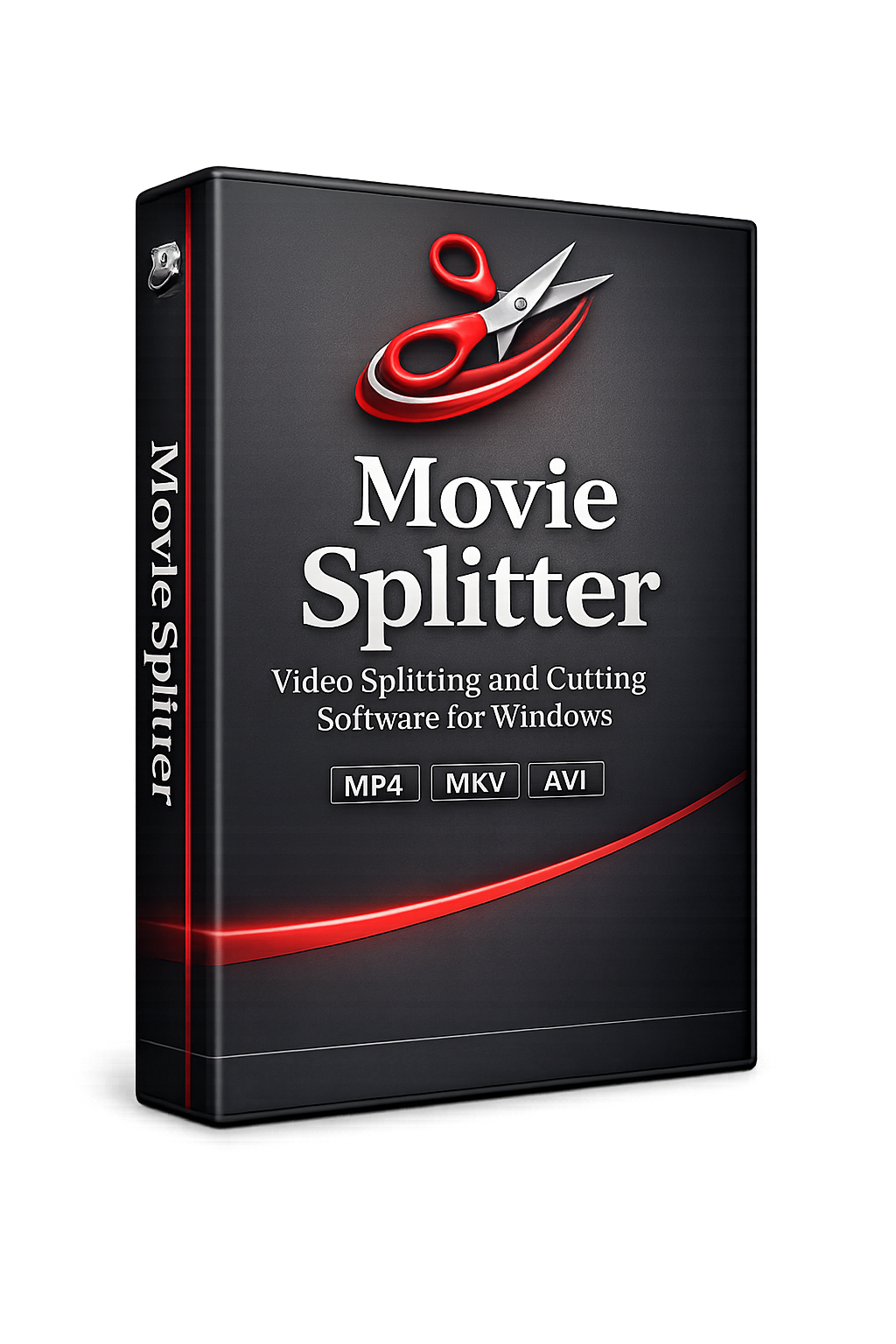
Movie Splitter video splitting and cutting software product box
$29.95

One-time payment - instant download after purchase

  • Lossless stream-copy splitting - zero quality loss, no re-encoding
  • Split by time, file size, chapter markers or equal parts
  • Supports MP4, MKV, AVI, MOV, WMV and all major video formats
  • Batch split multiple files and join/merge clips
  • 100% offline - your video files never leave your computer

Complete Your Purchase

Enter your details below and click the button to pay securely via PayPal. Your download link appears instantly after payment.


Payment processed securely by PayPal
256-bit SSL encryption
Download link delivered instantly after payment
No subscription - one-time payment only
Free software updates included
FAQ

Common Questions About Movie Splitter

What video formats does Movie Splitter support?

Movie Splitter supports MP4, MKV, AVI, MOV, WMV, FLV, WebM, TS, M2TS, MPG, MPEG, 3GP, M4V and RMVB as input formats. Output format is determined by the split mode - in lossless stream-copy mode the output container matches the input, so splitting an MP4 produces MP4 clips. When using the re-encode mode you can choose from the most common output formats.

What does "lossless stream-copy" mean and why does it matter?

Stream-copy means Movie Splitter copies the video and audio data directly from the source file into the output clips without decoding or re-encoding it. Because the video is never decompressed and recompressed there is no generation loss - the picture quality of every clip is identical to the source. It also means splitting is extremely fast: a 10GB, three-hour file can be split into segments in a matter of seconds rather than the minutes or hours re-encoding would take.

How precise is the time-based splitting?

In lossless stream-copy mode, Movie Splitter cuts to the nearest keyframe to or before your specified timecode. Most video files have keyframes every 1-3 seconds, so the actual cut point may be up to a few seconds from your specified time. If you need frame-accurate splits, use re-encode mode, which decodes the video and cuts at the exact frame you specify - at the cost of processing time and a very small quality reduction from recompression.

Can Movie Splitter read chapter markers automatically?

Yes. Many MP4 and MKV files contain embedded chapter metadata - common in ripped Blu-rays and DVDs, downloaded films, podcast video files and structured long-form recordings. Movie Splitter detects these chapter markers automatically when you load the file and presents them as split options. One click and the file is split at every chapter boundary, with each output clip named after its chapter title where available.

How does the split-by-file-size mode work?

Enter a maximum file size per segment in MB or GB. Movie Splitter analyses the video bitrate and calculates the duration that corresponds to your target file size, then splits the video at those intervals automatically. This is the fastest way to cut a large video into chunks that fit under an upload limit, a USB drive capacity, or any other size constraint - without having to calculate timecodes manually.

Can I batch split multiple video files at once?

Yes. Add as many video files as you like to the processing queue and apply the same split settings to all of them in one operation. Batch mode is ideal for splitting a whole series of recordings, a season of captured episodes, a library of dashcam loops or any set of files that all need to be cut the same way. Each file's output clips are saved to a named sub-folder so outputs from different source files do not get mixed together.

Can Movie Splitter join clips back together as well as split them?

Yes. The built-in join/merge tool lets you combine multiple video clips into a single output file. Add clips in any order, reorder them by drag-and-drop, and merge them in lossless stream-copy mode so the joined file has no quality loss and is produced in seconds. All clips in the merge queue must share the same codec and resolution for stream-copy mode; if they differ, re-encode mode handles the conversion automatically.

Will my video files be uploaded anywhere?

No. Movie Splitter runs 100% locally on your Windows PC. Your video files, your clips and all output files stay on your computer at all times. There are no upload steps, no file size limits from server-side restrictions, no accounts required and complete privacy for unreleased, confidential or client-owned footage.

Is this a one-time purchase or a subscription?

One-time payment of $29.95. You own the software outright with no monthly fees, annual renewals or per-project charges of any kind. Free software updates are included as part of your purchase.

How do I receive the software after paying?

The moment your PayPal payment is confirmed you are redirected back to this page where your download link appears immediately. You can be installing Movie Splitter and processing your first video within minutes of completing your purchase.

Stop Struggling with Huge, Unmanageable Video Files

Join thousands of video editors, content creators and archivists already using Movie Splitter to cut their footage into exactly the clips they need - quickly, precisely and without losing a single pixel of quality.

Get Movie Splitter - Only $29.95

Secure PayPal  |  Instant download  |  No subscription  |  Free updates